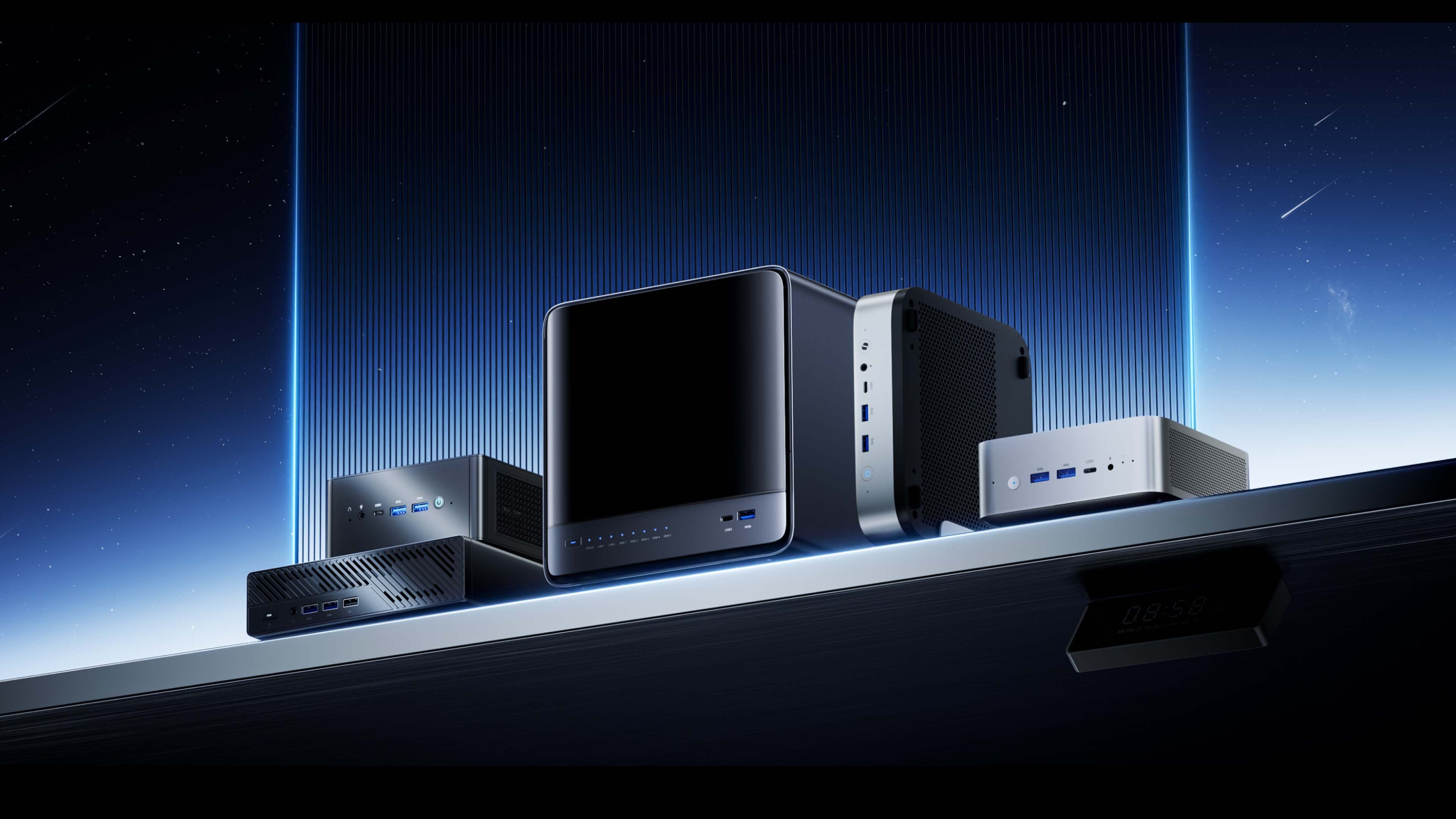
PC Hardware Overview - a Practical Guide to Building Your Own PC
For many people, building a PC sounds highly technical and intimidating. But in reality, it’s simply a standardized system made up of interchangeable hardware components. The difficult part is usually not the assembly itself, but choosing the right parts.
Pick the wrong CPU, and the rest of your configuration becomes limited. Ignore cooling, and even powerful hardware won’t perform properly. Spend heavily on a GPU while overlooking memory or the power supply, and the whole system becomes unbalanced. These are some of the most common mistakes beginners make.
This guide breaks down the essentials of PC building in a clear and practical way, while also recommending balanced configurations for different types of users.
1. A PC Is About Balance, Not Just Expensive Parts
One of the biggest misconceptions among first-time builders is assuming that higher specs always mean a better PC. In reality, PC performance comes from how well the entire system works together.
For example:
- A top-tier GPU paired with a weak CPU can bottleneck gaming performance.
- A powerful CPU with insufficient memory can still feel sluggish during multitasking.
- High-end components with poor cooling may constantly throttle under load, resulting in stuttering and inconsistent performance.
A PC is essentially a “bucket system” — your weakest component often determines the overall experience.
So before diving into individual hardware categories, it’s important to understand one thing: balance matters more than raw specs alone.
2. CPU: The Foundation of the Entire Platform
A CPU does far more than determine how fast calculations happen. In practice, it defines three key things:
(1) What Kind of Workloads Your System Can Handle
For example:
- Under 8 cores: office work and light gaming
- 8–16 cores: content creation, development, multitasking
- 16+ cores: heavy productivity, virtualization, AI workloads
If you plan to:
- Run multiple virtual machines
- Edit and render video
- Run AI models locally
Then core and thread count often matter more than peak clock speed.
(2) The Upgrade Ceiling of Your Platform
The CPU also determines:
- Supported memory standards (DDR4 / DDR5)
- PCIe lane availability
- Motherboard compatibility
That’s why many builders choose the CPU first, then build the rest of the system around it.
(3) A New Trend: CPU + Motherboard Integration
Traditionally, CPUs and motherboards are purchased separately. But increasingly, more integrated solutions are appearing.
One example is the MoDT platform, where the CPU is soldered directly onto the motherboard. Many MINISFORUM motherboards follow this design philosophy. For example, the BD795i SE integrates the AMD Ryzen 9 7945HX, featuring 16 cores and 32 threads while combining desktop-level performance with mobile-class power efficiency.
MoDT motherboards reduce compatibility issues, simplify component selection, improve efficiency, and enable more compact systems.
For compact workstations, home servers, and space-saving PCs, this approach can actually be more practical than a traditional DIY setup.
3. Motherboard: The Backbone and Expansion Limit
Many people underestimate the importance of the motherboard. In reality, it largely determines how upgradeable your system will be in the future.
(1) It Doesn’t Directly Increase Performance — But It Defines
Long-Term Value
A motherboard affects:
- How many memory slots you have
- How many SSDs you can install
- Whether future CPU upgrades are possible
- GPU compatibility
- Available I/O and connectivity
If expansion capability is too limited, future upgrades become difficult or impossible.
(2) Form Factor Isn’t Just About Size — It’s About Priorities
People often assume ATX is “better” simply because it’s larger, while ITX is considered a compromise. A more accurate way to view it is:
- ATX prioritizes expandability
- ITX prioritizes efficiency and space optimization
For example, Mini-ITX platforms benefit from:
- Shorter trace layouts
- Lower latency
- Higher efficiency
- Better space utilization
This is one reason why even high-performance systems are increasingly moving toward compact form factors.
(3) Do You Actually Need All That Expansion?
Many users buy full-size ATX boards only to leave most slots and ports unused.
A more practical strategy is to choose a motherboard based on your actual needs while leaving reasonable room for future upgrades — without blindly chasing the largest specs possible.
4. Memory: Frequently Underestimated, Directly Impacts
Responsiveness
The question with RAM is rarely “ Is it enough? ” — it’s “ Is it enough for everything running at the same time? ”
(1) What Happens When RAM Becomes the Bottleneck
Insufficient memory often causes:
- Browser slowdowns with many tabs open
- Lag when switching applications
- Frequent disk swapping
This isn’t necessarily a CPU problem — it’s a memory limitation.
(2) Why 16GB Is Now Just the Starting Point
A few years ago, 8GB was acceptable. Today:
- 16GB is baseline
- 32GB is the comfortable mainstream choice
- 64GB+ is increasingly necessary for productivity and AI workloads
Modern software consumes significantly more memory than before. Browsers — especially Chrome — are already memory-heavy, and AI workloads, local LLMs, and virtualization push usage even further.
(3) Compact Platforms + Large Memory Capacity
Many Mini-ITX and MoDT systems use SO-DIMM memory, which saves space while still supporting high-capacity configurations.
That’s why compact systems today can still support 64GB, 96GB, or even more.
5. GPU: Do You Really Need a Dedicated Graphics Card?
The GPU is often the component that dominates a PC budget. In many builds, it alone can account for half the system cost.
Before buying one, ask yourself a simple question: Do you actually need a discrete GPU?
If your workload is mostly:
- Office work
- General programming
- Media consumption
- Older or lightweight games
Then modern integrated graphics are already more than sufficient.
So when is a dedicated GPU truly necessary?
Primarily when your core workloads include:
- AAA gaming
- 3D modeling
- High-resolution video editing and rendering
- AI generation and inference
- Running local large language models
Common GPU-related mistakes include:
- Powerful GPU + weak CPU = bottleneck
- Powerful GPU + insufficient PSU = instability
- GPU too large for the case = compatibility disaster
And of course, the classic beginner mistake: Installing the GPU correctly but plugging the monitor cable into the motherboard instead.
A stronger GPU is not automatically better — system balance still matters more.
6. Storage: One of the Biggest Factors in Perceived Speed
If a PC feels slow, the problem is often storage rather than the CPU or memory.
(1) Why NVMe SSDs Are Basically Essential
Compared to HDDs or SATA SSDs, NVMe SSDs dramatically improve:
- Boot times
- Software loading
- Overall system responsiveness
This is a real-world experience upgrade, not just a benchmark difference.
(2) Capacity Strategy Matters More Than Storage Type Alone
That doesn’t mean every drive in the system must be SSD-based.
Compared with HDDs, SSDs still have disadvantages:
- Higher cost per GB
- More limited ultra-high-capacity options
- More difficult and expensive data recovery
- Shorter write lifespan
- Higher risk of total data loss after failure
A practical approach is:
- Smaller SSD (512GB minimum) for the operating system
- 1~2TB SSD for applications and active projects
- Larger HDD for mass storage and backups
If the SSD budget is tight, combining the OS and software drive into a single 1TB SSD is still reasonable.
7. Power Supply: The Most Overlooked Risk
Many people spend aggressively on CPUs and GPUs while cutting costs on the PSU. That’s a common and potentially expensive mistake.
(1) “Enough Power” Is Not Enough
An inadequate PSU can lead to:
- System instability
- Reduced component lifespan
- Hardware damage
- In extreme cases, electrical hazards
(2) How to Choose the Right Wattage
The key is headroom.
For example:
- If estimated system draw is 500W, a 650W PSU is sensible
- If estimated draw is 700W, an 850W PSU is safer
Choosing a PSU with extra overhead improves stability and upgrade flexibility.
8. Cooling: Determines Whether Performance Can Actually Be Sustained
Cooling isn’t just about lowering temperatures — it directly affects sustained performance.
(1) Air Cooling: Reliable and Practical
Both top-down and tower coolers offer:
- Lower cost
- Minimal maintenance
- Excellent reliability
Top-down coolers suit compact systems, while tower coolers are ideal for standard cases.
(2) Liquid Cooling: Not Just Lower Temps, But Better Sustained
Performance
AIO liquid coolers are ideal for high-end CPUs and prolonged heavy workloads because they provide:
- Larger thermal capacity
- More stable temperatures
- Better sustained performance under load
(3) When Liquid Cooling Becomes Necessary
If your workloads involve:
- Long rendering sessions
- Heavy AI computation
- Ultra-high-end CPUs
Then liquid cooling is often the more appropriate solution.
9. Case: More Than Just an Outer Shell
A PC case isn’t simply there to hold components — it’s fundamentally an airflow management system.
A good case provides:
- Efficient airflow design
- Clean internal layout
- Support for large GPUs and liquid cooling
When choosing a case, prioritize:
- Motherboard compatibility
- GPU clearance
- Storage and fan support
- Appearance
Compact cases are becoming increasingly popular because they balance performance and space efficiency extremely well. High-performance Mini-ITX systems are now fully mainstream.
10. How to Plan a PC Build
This is the real methodology behind building a balanced system.
Step 1: Define Your Use Case
This is the most important step because different workloads require completely different system priorities.
For example:
- Office PCs prioritize stability, silence, and low power consumption
- Productivity systems prioritize multi-core performance and large memory capacity
- Rendering and editing systems place greater emphasis on GPUs
- Gaming PCs prioritize GPU, cooling, and PSU quality
- AI development systems prioritize VRAM, memory capacity, and I/O bandwidth
Step 2: Choose the Platform
Decide between:
- Traditional CPU + motherboard
- Integrated MoDT platform
MoDT solutions simplify the process and often provide better value.
Step 3: Build Around the Platform
Once the CPU is decided, everything else follows:
- Motherboard socket compatibility
- DDR4 vs DDR5 memory
- Storage interfaces (M.2 / U.2 / SATA)
Step 4: Eliminate Bottlenecks
Check for weak points such as:
- Insufficient RAM
- Poor cooling
- Inadequate PSU capacity
And correct them.
Step 5: Think About Size and Appearance Last
Choosing a case first is one of the most common beginner mistakes.
11. Recommended PC Configurations
(1) Everyday Office PC
Target Use: smooth office work, multitasking, light entertainment
| Component | Recommendation | Reason |
|---|---|---|
| CPU | Intel Core i5-15400 / AMD Ryzen 5 9600G | Balanced multi-core performance and excellent efficiency |
| Motherboard | B860 / A620 | Stable entry-level platforms |
| Memory | 16GB DDR4-3200 or DDR5-5600 (dual-channel) | Enough for multitasking |
| Storage | 1TB NVMe PCIe 4.0 SSD | Fast boot and responsive workflow |
| GPU | Integrated graphics | Fully sufficient for office workloads |
| PSU | 400W 80+ Bronze | Efficient and stable |
| Case | Compact mATX case | Balanced airflow and aesthetics |
(2) Professional Productivity Workstation
Target Use: 4K editing, 3D modeling, rendering, AI imaging
| Component | Recommendation | Reason |
|---|---|---|
| CPU | Intel Core Ultra 7 265KF / AMD Ryzen 7 9700X | Strong multi-core performance |
| Motherboard | Z890 / X870 | High-end power delivery and expansion |
| Memory | 32GB DDR5-6000 or higher | Ideal for heavy multitasking |
| Storage | 2TB NVMe SSD + HDD | Fast project loading and large storage |
| GPU | GeForce RTX 5070 Ti 16GB or above | Large VRAM for productivity and AI |
| PSU | 750W 80+ Gold Fully Modular | Stable under sustained heavy load |
| Case | Mid-tower case | Better airflow and expansion space |
(3) Entry-Level Gaming PC
Target Use: 1080p / 1440p gaming, medium-to-high settings
| Component | Recommendation | Reason |
|---|---|---|
| CPU | Intel Core i5-15600K / AMD Ryzen 5 9600X | Strong gaming performance and low latency |
| Motherboard | B860 / B650 | Balanced expansion and stability |
| Memory | 16GB DDR5-6000 | Improves frame consistency |
| Storage | 1TB NVMe SSD + HDD | Fast game loading |
| GPU | GeForce RTX 5060 8GB / AMD Radeon RX 7700 XT 12GB | Mainstream gaming with ray tracing support |
| PSU | 650W 80+ Bronze | Stable with room for upgrades |
| Case | Airflow-focused mATX case | Better thermal performance |
(4) High-End Gaming PC
Target Use: 4K / 8K gaming, ray tracing, ultra settings
| Component | Recommendation | Reason |
|---|---|---|
| CPU | Intel Core i9-15900KS / AMD Ryzen 7 9800X3D | Elite gaming performance |
| Motherboard | Z890 / X870E | Flagship features and PCIe 5.0 |
| Memory | 64GB DDR5-7200 | High-capacity, high-frequency memory |
| Storage | 4TB NVMe PCIe 4.0 SSD | Massive game library support |
| GPU | GeForce RTX 5090 32GB / AMD Radeon RX 7900 XTX 24GB | Top-tier 4K/8K performance |
| PSU | 1200W 80+ Platinum Fully Modular | Supports extreme power draw |
| Case | Full-tower gaming case | Maximum cooling and expansion |
12. An Easier Alternative: Mini PCs
If all of this already feels overwhelming, that’s completely normal. DIY PC building takes time, research, and troubleshooting.
Prebuilt tower PCs may not offer ideal configurations, while custom-built desktops can become difficult to diagnose and service later.
That’s where Mini PCs and Mini Workstations come in.
Their advantages include:
- Plug-and-play convenience
- No assembly required
- Extremely compact footprint
- Lower power consumption
- Easier warranty support
- Often better overall value
MINISFORUM offers a wide range of Mini PCs and Mini Workstations for different needs.
Everyday Office:
Professional Productivity:
Entry-Level Gaming:
High-End Gaming:
You simply choose the model that matches your workload and start using it immediately.
13. AI PCs: A More Cost-Effective Direction for Local AI
There’s one special case worth mentioning.
If your goal is local AI inference or running large language models, traditional DIY PCs become extremely expensive because they often require flagship GPUs — sometimes multiple GPUs.
A newer alternative is the AI-focused Mini PC.
Examples include the MINISFORUM MS-02 Ultra and MINISFORUM MS-S1 MAX. These systems offer:
- More AI-capable CPUs
- Higher memory density
- Better power efficiency
- Lower total system cost
For local AI inference workloads, they can often be far more practical than building a multi-GPU desktop.
Conclusion
If this entire article had to be reduced to a single sentence, it would be this:
Building a PC is not about buying the most expensive parts — it’s about designing the most balanced system for your needs.
You can choose:
- DIY PC (maximum flexibility)
- Mini PC (simpler and often more efficient)
- AI PC (better optimized for specific AI workloads)
The right choice is simply the one that best matches how you actually use your computer.